Stretched resolution in any game, in one click.
Pick a narrower resolution and your whole monitor switches to it, so it works in Fortnite, Valorant, Apex, CS2 or anything else you play. You get a few seconds to keep it, or it switches back by itself.
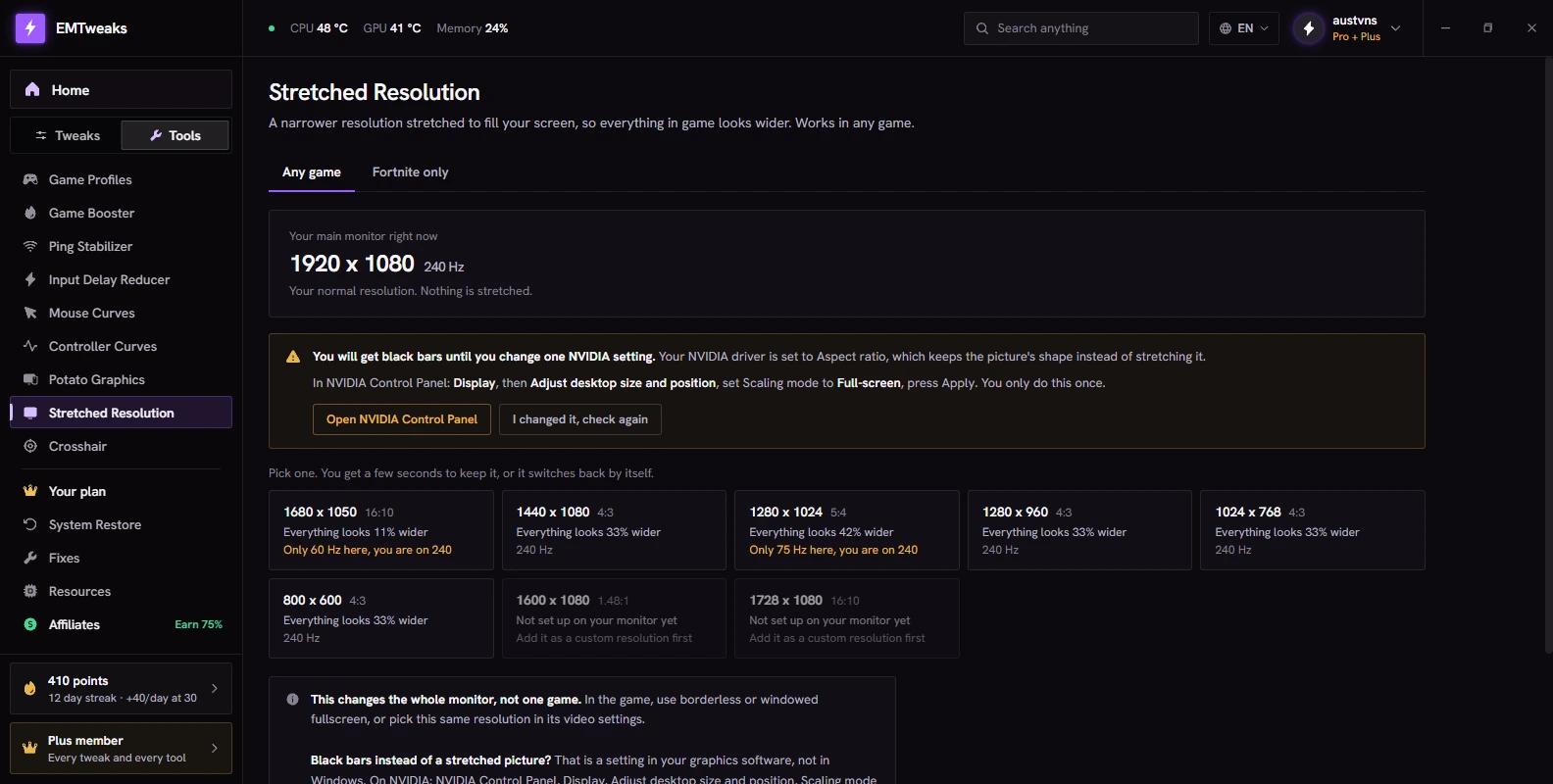
It can't lock you out
The new resolution only stays if you confirm it. If the screen looks wrong, wait a few seconds and it goes back.
One button back to normal
Your native resolution is always one click away, in the same tab.
It warns you about black bars
The app checks your graphics driver first and tells you which scaling setting to change, before you switch.
How to get stretched res
- Download EMTweaks and open the Stretched Resolution tab. It is free.
- Pick one of the resolutions your monitor offers.
- Confirm it within a few seconds, or let it switch back.
- Set the same resolution in your game, and play.
For Fortnite there is a second method that changes only the game and leaves your desktop at its normal resolution.
Stretched Resolution, answered.
Is Stretched Resolution free?
Yes. It is part of the free plan and never asks for a card.
Which games does it work in?
Any of them. Your whole monitor switches to the narrower resolution, so it works in Fortnite, Valorant, Apex Legends, CS2 or anything else you play. There is also a Fortnite-only method that leaves your desktop alone.
What if the screen goes black or looks wrong?
You get a few seconds to keep the new resolution. If you don't confirm it, it switches back by itself. One button also puts your normal resolution back at any time.
Why do I get black bars?
That comes from a scaling setting in your graphics driver. The app tells you up front if your driver would add black bars, and which setting fixes it.
Stretched Resolution is free. So is starting.
Windows 10 and 11. About 99 MB. Signed installer.